Notifications
Proctortrack provides notifications for relevant activities or events.
- Some notifications are built into the system and can't be customised by an instructor — for example, sending candidates an email if they fail an onboarding test.
- You can customise some notification settings via the NOTIFICATIONS dropdown menu on the instructor dashboard.

Customise notification settings
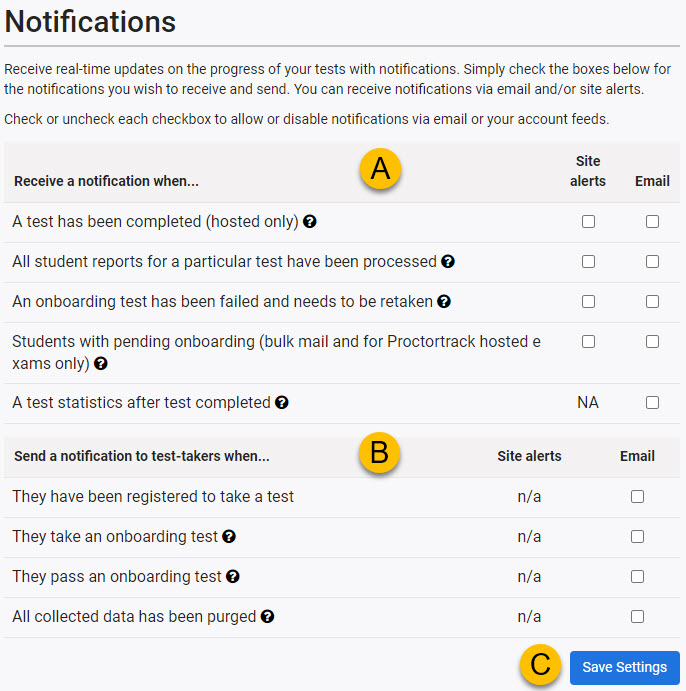
The settings screen has three sections.
| # | Item | Description |
|---|---|---|
| A | Receive a notification when… | Change your own notification settings. These are specific to you and don't affect other instructors. Most can be set to display as an alert on the Proctortrack site and/or sent to you as an email. |
| B | Send a notification to test-takers when… | Change the notification settings for candidates. Sends emails to candidates. |
| C | Save Settings button | Make changes and select Save Settings. |
View notifications feeds
Select this option in the NOTIFICATIONS dropdown menu on the instructor dashboard to see your notifications.