Group types
Group types categorise groups. For example, a group type could be Subjects with groups Maths, Science, and English. See the document on groups for more on how groups are used.
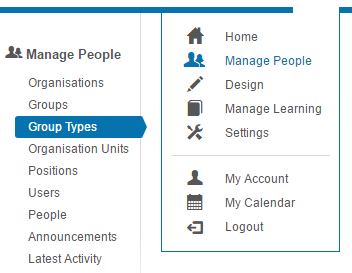
To access group types, navigate to Manage People > Group Types.
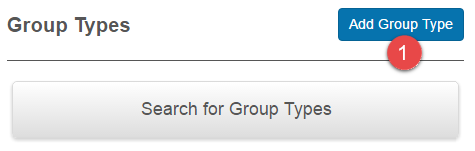
Add a group type
Select Add Group Type.
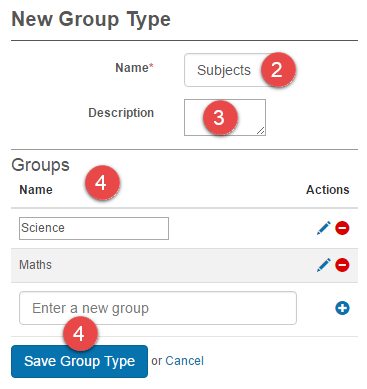
- Enter a Name.
- Optionally enter a Description.
- Optionally add new Groups. Groups can also be created in Manage People > Groups.
-
Select Save Group Type.
Settings
There are no platform settings that affect group types directly. Group behaviour is configured per-group — see the document on groups.