Catalogue access rules
Catalogue access rules let administrators control which items from the catalogue are visible to which users. If enabled, rules ensure users can only list, access, or enrol in content that's made available to them in Browse Learning.
Note
These rules are overridden when a user is enrolled in a catalogue item by someone else.
Add a catalogue access rule
Navigate to Settings > Catalogue Access Settings from the top panel menu.
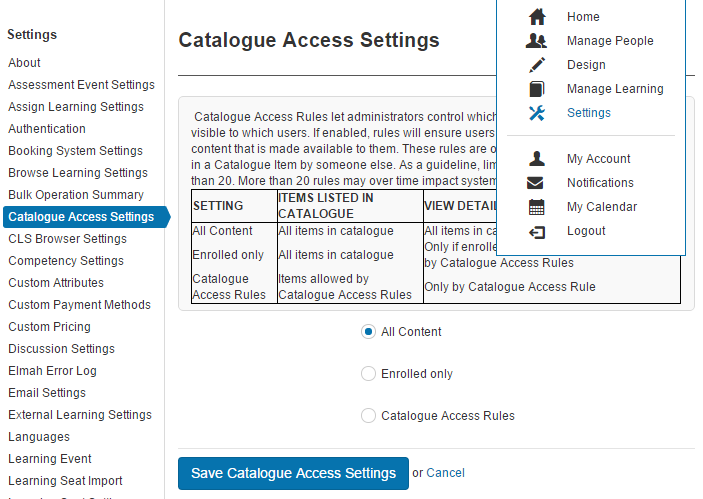
Select Catalogue Access Rules.
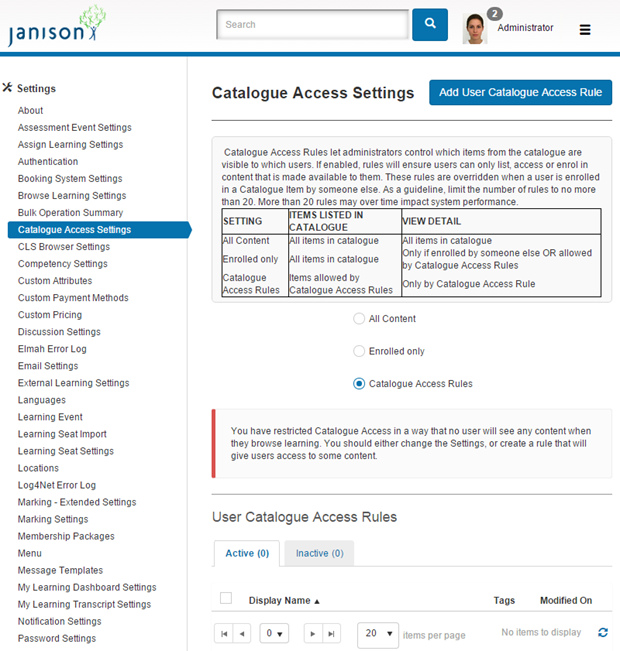
Select Add User Catalogue Access Rule.
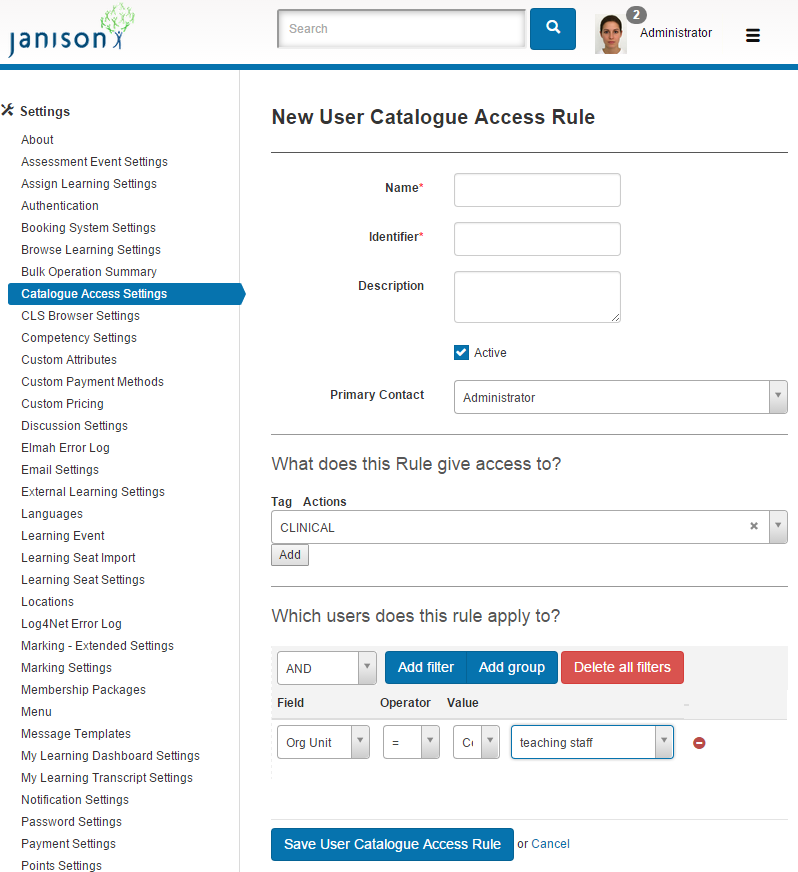
Complete the form, selecting either Tags (if you're using them) and/or groups of users, then select Save User Catalogue Access Rule.
Several rules can be added — they're listed under User Catalogue Rules.
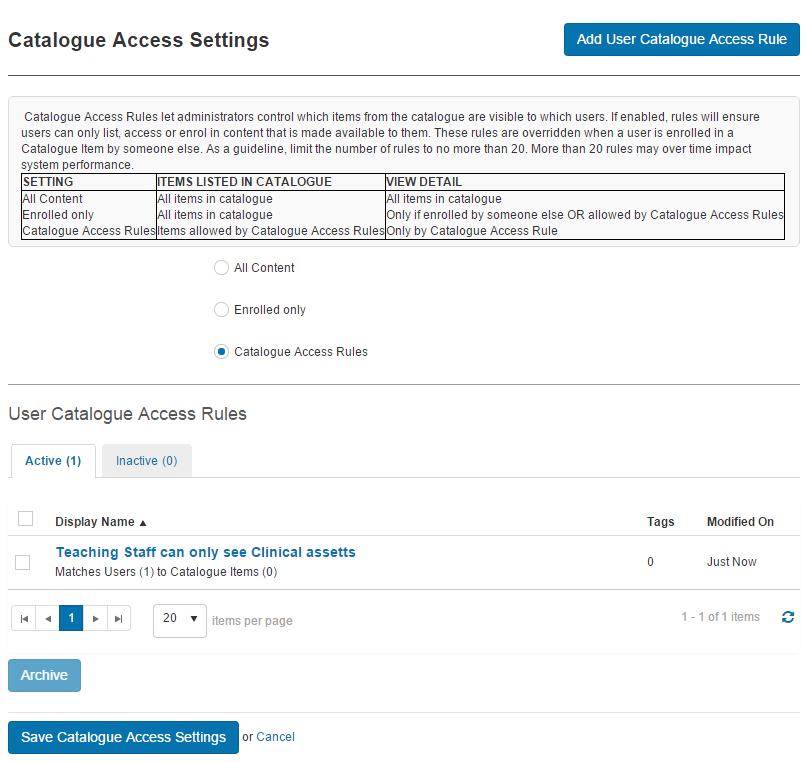
Settings
This page is itself the Settings documentation for catalogue access rules. Administrators configure rules at Settings > Catalogue Access Settings > Catalogue Access Rules.
The rules depend on the Tags and Groups configured elsewhere — see Tags and tag types and Groups.