Introduction to settings
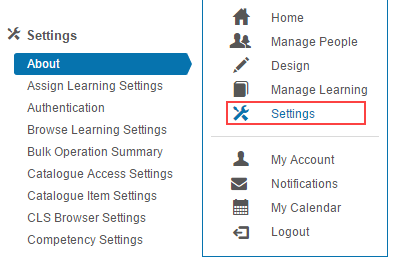
In Settings you can configure the way your system looks and functions. For example, you can control the colour scheme of your site, set password complexity, and change the text in email notifications. When your site is implemented, the Janison team make most of the configurations in this area.
Settings topics
The settings area is large. Each topic has its own page covering the available options:
Identity and access
- Authentication — choose between Username in Database, SAML SSO, and OAuth.
- Enable Azure AD login — set up Microsoft Entra ID OAuth.
- Roles — manage roles, securable areas, and restrictions.
- Passwords — complexity, expiry, and reuse policy.
- Terms of Use — require users to accept terms on registration.
Learning and catalogue
- Browse Learning — control search, filters, and the catalogue display.
- Catalogue access rules — restrict catalogue visibility.
- Catalogue item settings — general, authoring, and learner display options.
- Learning asset settings — lock edits and shared progress expiry.
- Self enrolment — enrolment methods and approval restrictions.
- User enrolment rules — automate enrolments.
People and notifications
- User settings — customise user forms and views.
- Portfolio — configure the ePortfolio.
- My Learning Transcript — transcript columns and PDF options.
- Email settings — notification categories and reminders.
- Message templates — customise notification email content.
Design and assessment
- Test designer — workflows, identifier generation, available question types.
- Resource designer — resource and stimulus options.
- Software versioning — enable version tracking on entities.
- Custom attributes — define additional data fields.
- Building filters — Boolean filter rules.
Tenant and presentation
- Tenant settings — login, security, time zone, and miscellaneous tenant options.
- Languages — currency and default culture.
- String resources — customise UI text.
- Style and images — logos, skin, and CSS.
Payments and operations
- Payment — payment gateways and GST.
- Token-based payments — token orders and redemption.
- Scheduling — schedule recurring jobs (reports, imports).
- Locations — physical places where face-to-face training is held.
- Venues — defined places within locations.
Settings
This page is the area landing page for Settings. Each individual settings group has its own page (linked above). Most options are configured at Settings > [individual setting].