Catalogue item settings
Catalogue item settings provide options to change the way catalogue items display to, and function for, administrators and end users.
Navigate to Settings > Catalogue Item Settings.
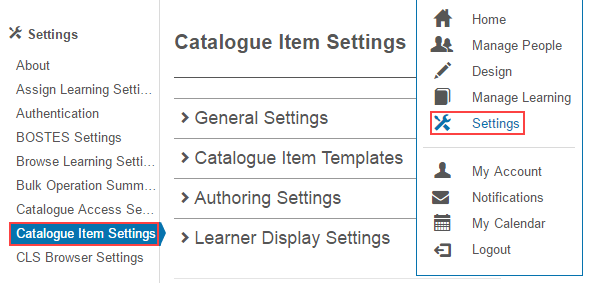
Catalogue item templates
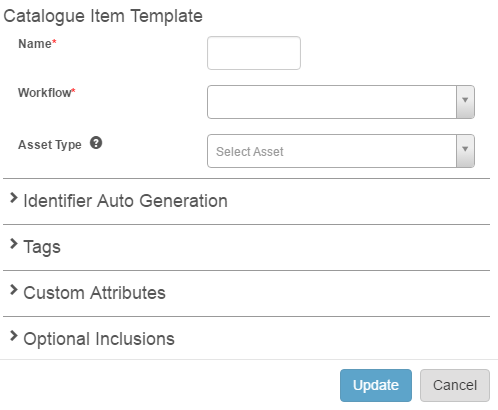
Catalogue item templates let you specify default settings when creating new catalogue items. Useful where the same configuration is needed for multiple catalogue items. See Catalogue Item Templates.
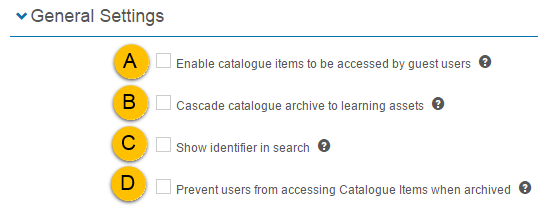
General
- Allow guest access — lets catalogue items be accessible by guest users. Don't use without consulting Janison support — it's intended for very specific requirements. Since no progress is tracked, the Instalaunch link feature is usually recommended instead.
- Archive linked assets — when archiving a catalogue item, all linked learning assets are also archived.
- Show identifier after name in search — when searching, the catalogue item identifier displays after the name.
- Prevent enrolled access when archived — enrolled users can't access catalogue items once archived.
Authoring
This section contains settings that control how catalogue items display and function for authors.
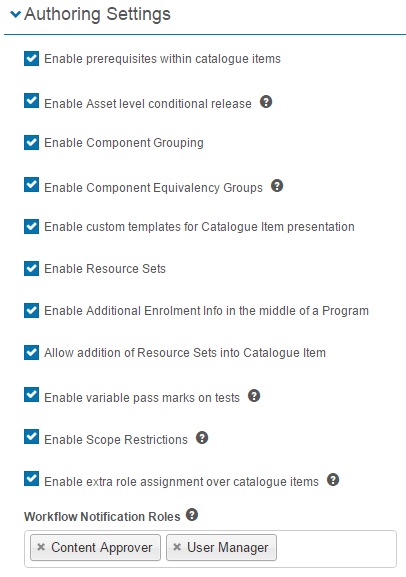
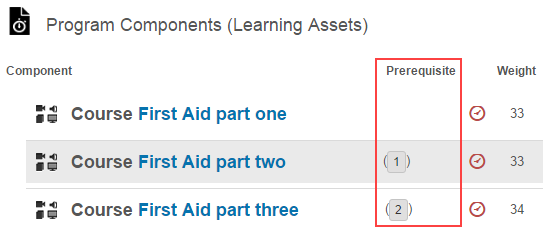
Enable prerequisites within catalogue items

Prerequisites are items that must be completed before enrolment into a particular learning item is permitted. If checked, a Prerequisite column appears in the Program Components section of the catalogue item.
Enable asset-level conditional release

Conditional release lets authors control when catalogue item components are released and locked, using time-based rules.
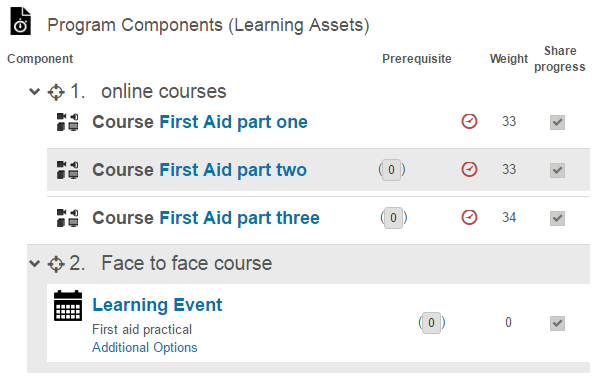
Enable component grouping

Allows learning assets to be grouped in the Components section of catalogue items.
Enable component equivalency groups
This setting lets groups of components be created for a catalogue item, so only a certain number of components within the group need to be completed.

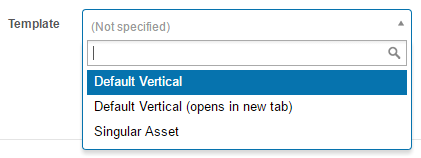
Enable custom templates for catalogue item presentation

Catalogue items can be customised by linking program templates. This enables a dropdown in the basic settings section where you select the required template.
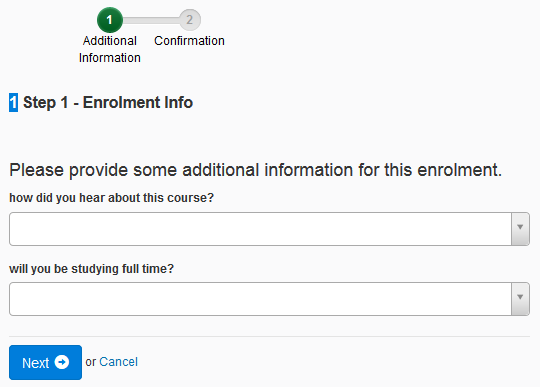
Enable additional enrolment info in the middle of a program

Lets you include a set of questions presented to learners during enrolment. The questions are custom attributes grouped into a set — see Self enrolment and Custom Attributes.
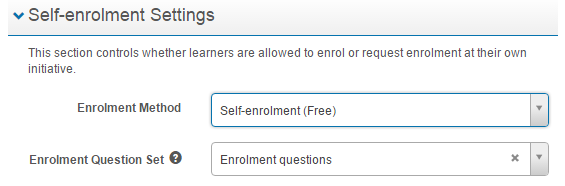
When a learner selects Enrol, the questions are presented.
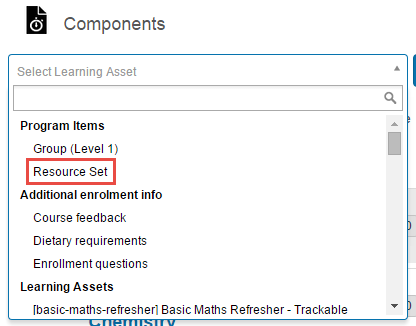
Allow addition of resource sets into catalogue items

Adds an option to the Components dropdown in a catalogue item that lets you add a resource set.
Enable variable pass marks on tests
Lets test authors allow catalogue item authors to override pass marks on tests.

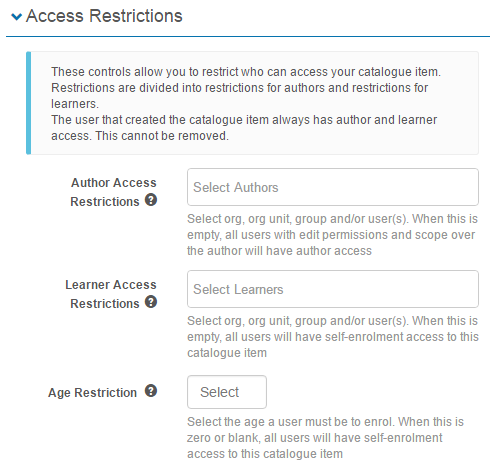
Enable scope restrictions

Provides the ability to restrict access to catalogue items. See Catalogue item scoping.
When active, an Access Restrictions section appears in the catalogue item.
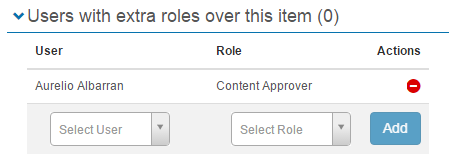
Enable extra role assignment over catalogue items
Lets users be assigned an extra role with scope over the current catalogue item.

When enabled, a Users with extra roles over this item section appears.
Workflow notification roles
Only users with the selected roles receive notifications on catalogue item workflow state transitions. See Catalogue item workflows.

Learner display
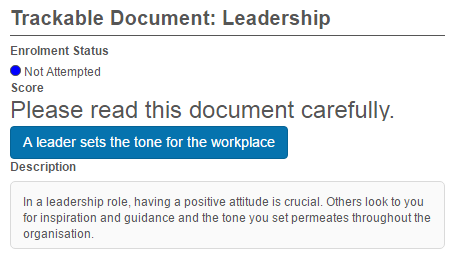
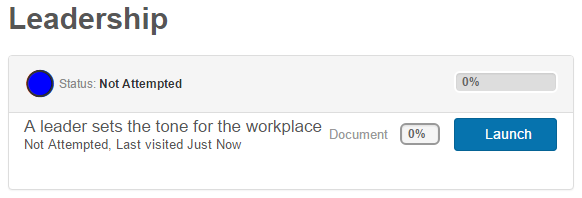
- Display all Catalogue Items as Programs — when enabled, all catalogue items display to the learner in the same way as programs.
- Show large thumbnail — show or hide the large thumbnail for assets.
- Launch behaviour — control whether an asset launches in the same window or a new window.
- Asset type display — show the asset type as an icon or as a label.
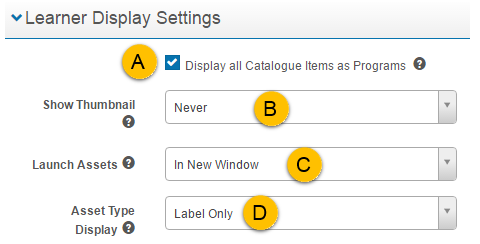
Display all catalogue items as programs
When unchecked:
When checked:
See Templates for more.
Settings
This page is itself the Settings documentation for catalogue item settings. All options above are configured at Settings > Catalogue Item Settings.