Languages
Janison CLS supports different currency formats, different languages, and multiple languages.
Navigate to Settings > Languages.
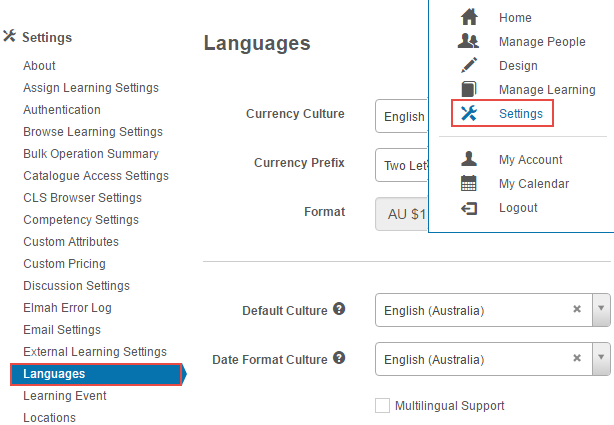
Currency format
-
Select the required Currency for use in the CLS.
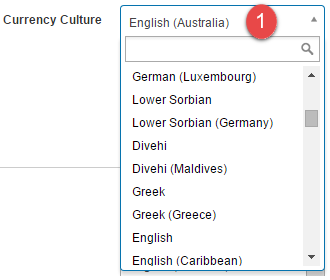
-
Select the required Currency Prefix for use in the CLS.
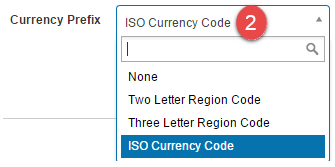
The Format field displays how your current settings will be displayed.
| Option | Displays |
|---|---|
| None | $12,345.67 |
| Two Letter Region Code | AU $12,345.67 |
| Three Letter Region Code | AUS $12,345.67 |
| ISO Currency Code | AUD $12,345.67 |
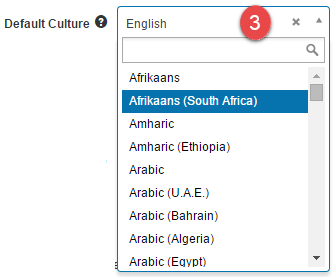
Language setting (Default Culture)
The CLS attempts to display in the language set in the user's browser. If multilingual support is off or there's no matching supported language, the Default Culture option is used. If this is set to None, the CLS inherits the setting from the Global tenant.
-
Select the required Default Culture (language).
Date format
Select the required date format — for example, English (Australia) for dd/mm/yyyy or English (United States) for mm/dd/yyyy.
-
Select Save Settings.

Multilingual support
Janison CLS supports multiple languages. Contact Janison support to enable this feature — hundreds or thousands of string resources need to be translated. See String Resources.
Once set up, a user can swap languages at the bottom right of their screen.
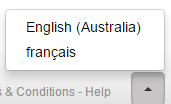
For example, in English:
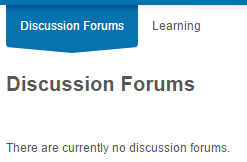
In French:

Settings
This page is itself the Settings documentation for languages. All options are configured at Settings > Languages.
Related settings:
String Resources (Settings > String Resources) — translation of UI text used for multilingual support.