Survey
Survey items gather respondent feedback. They are similar to other test items but have no correct answers and are not scored.
Open the practice test below to view an example of an Insights survey.
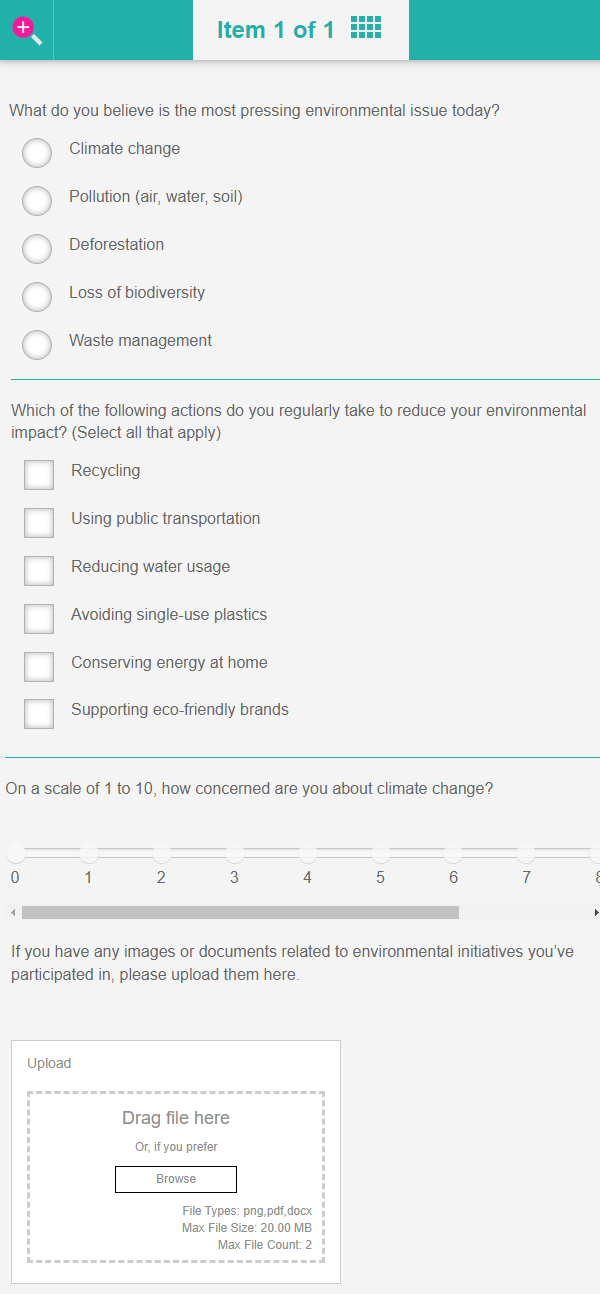
In the screen capture below you can view an example of a survey.
Practice test
Open this test in the Janison test player to view examples of survey items.
Note
You will only be able to open the survey once per browser session.
Create a survey item
Navigate to Author > Items.
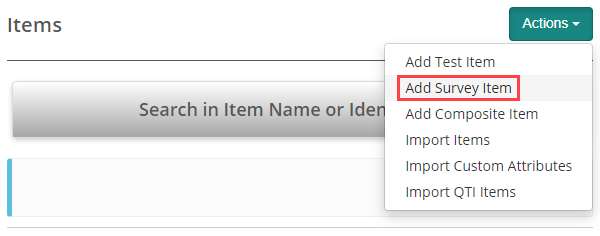
Select Add Survey Item from the Actions drop-down.
The New Survey Item screen displays.
You have an option to add various item types to the survey. Select the required Type.
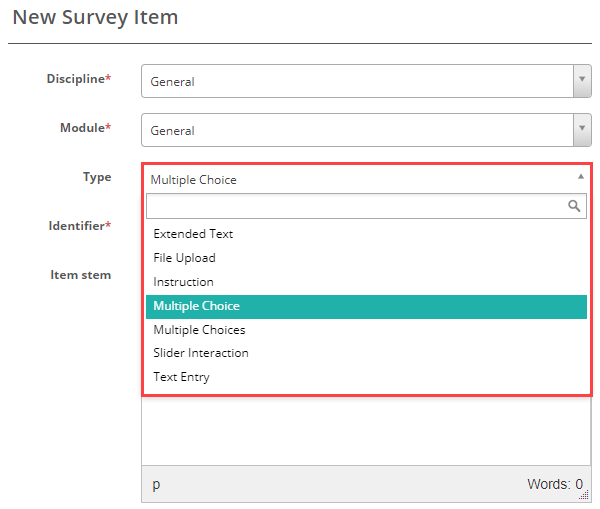
View the practice test at the top of the page to experience all of these survey item types. To learn more about the settings and fields for each type, please refer to our documentation linked below.
Extended text read more
File upload read more
Instruction read more
Multiple choice read more
Multiple choices read more
Slider interaction read more
Text entry read more