Transition marking project
Once you've completed the marking project setup — adding the marking team, configuring quality controls, and setting project options — you need to transition the project's workflow state to Marking. This allows markers to start marking.
Transition to Marking
-
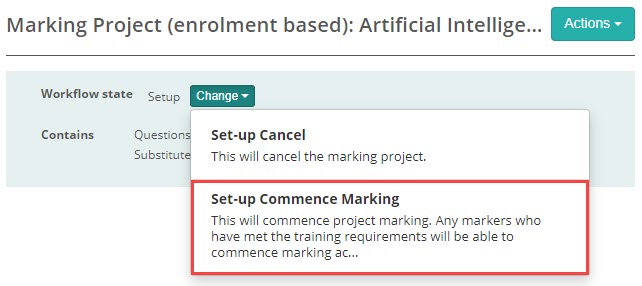
Select Change > Set-up Commence Marking.
-
Select Yes to confirm.

-
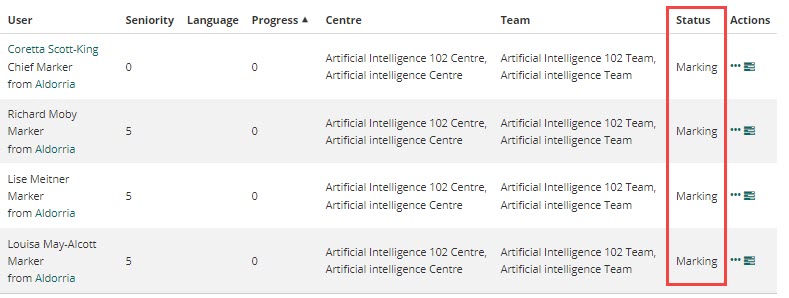
The status of each marker transitions from Initiation to Marking.
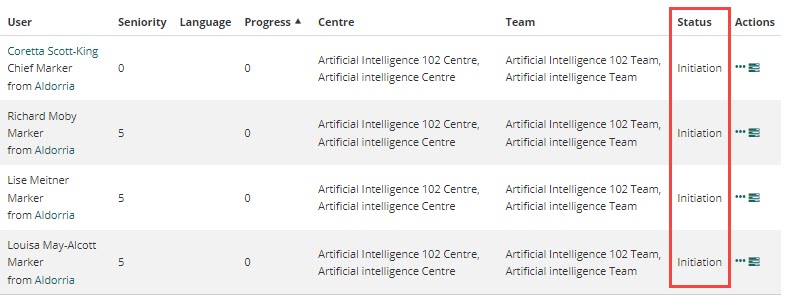
Markers receive an email notification that their status has changed and they can now begin marking.
Important
Markers cannot access the marking screen until the project has been transitioned to Marking status. Make sure all setup steps — marking team, questions, quality controls, and project settings — are complete before transitioning.