System Reports
Delivery Reports
| Report Type | Description |
|---|---|
| Time Spent for Assessment Event | Average and range of test-taking time, grouped by training schemes and assessment centres |
| Activity Log Report | Audit trail log for selected system user |
| Assessment Access Arrangements Report | Lists candidates with personal needs and preferences (PNP) |
| Assessment Event Non-Attendance Report | Lists candidates who didn't attempt assessment |
| Assessment Late Starters Report | Lists candidates starting assessment late by specified minutes |
| Assessment Session Disruption Report | Details on pause/resume/extend reasons entered by Invigilators |
| Attendance Report | Attendance for particular test |
| Candidates in Course Report | Candidate count and head count groups by department |
| Candidates in Submission Times Detailed Report | Lists candidates submitting test within specified minutes from start |
| Candidates Submission Times Summary Report | Percentage of candidates submitting within specified minutes |
| Exam Classes Report | Exam class data including test name, components, date, location, candidate count, Invigilators, examiners |
| Invigilator Sessions Report | Invigilator sessions with start and end times |
| Test Attempt Exam Class Mismatch Report | Displays exam class mismatches for candidates |
Marking Reports
| Report Type | Description |
|---|---|
| Extended Text Marking Response Summary Report | Lists extended text marking responses for assessment event |
| ISCO Coding Extract Report | Extract of responses, ISCO codes and related user details |
| Item Analysis Report | Item analysis breakdown for test or assessment event |
| Marking Project Settings Report | Overview of marking project settings |
| OrgUnit Marking Progress Report | Marking progress for selected marking project |
General Reports
| Report Type | Description |
|---|---|
| School Completion Report | Lists attempts and completions by Organisation Unit or school ID |
Running System Reports
-
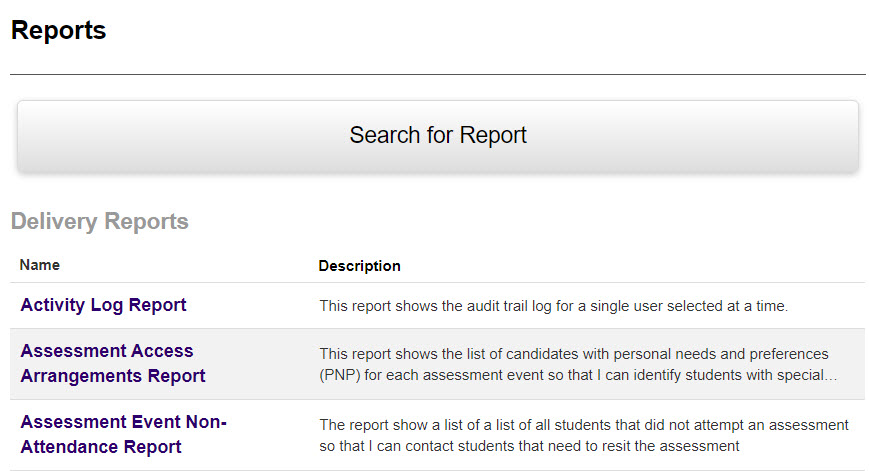
Select Reports from Menu, then select Reports.
-
Search for or select the desired report.
-
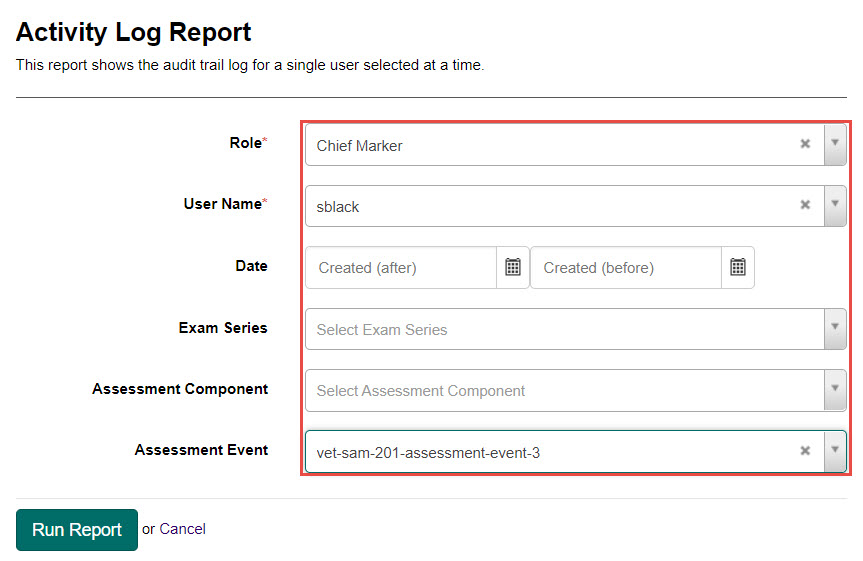
Fill in the required fields.
-
Select the Run Report button.
Report Options
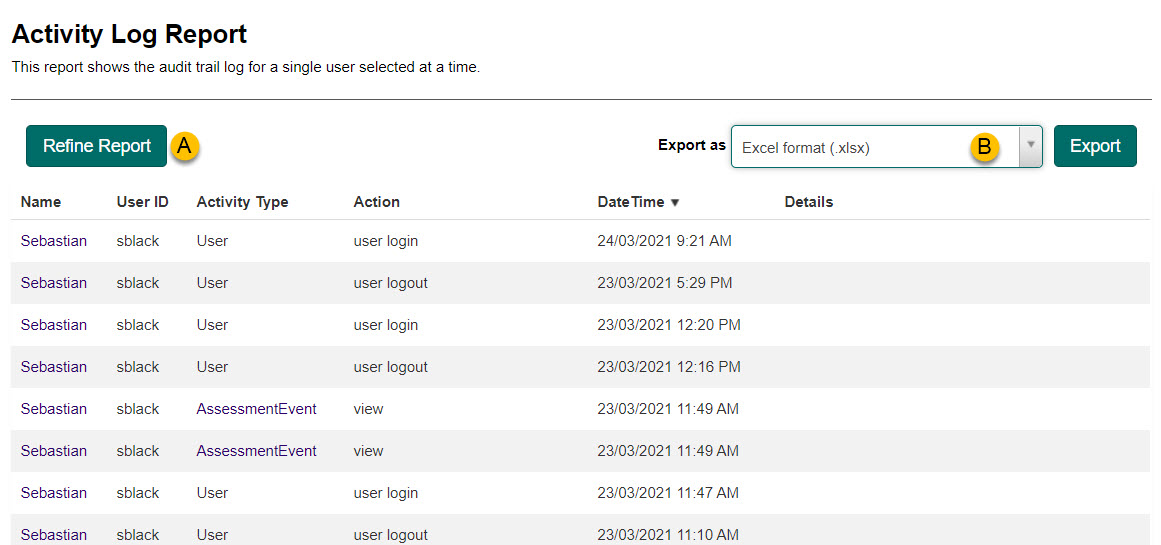
| Feature | Description |
|---|---|
| A - Refine Report | Allows refinement by returning to the field-entry step |
| B - Export | Export to Excel, CSV, or PDF format |