Grace periods
Grace periods allow markers to modify the score after saving. This gives the Marker a chance to correct a mistake before completing the marking for that script.
Scores are not included in Senior Marker sampling until the grace period has ended.
Set up grace periods
-
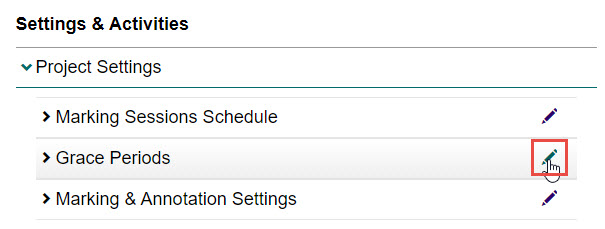
Select the Project Settings expandable section under Settings & Activities, then select the Edit icon next to the Grace Periods expandable section.
-
Complete the following:
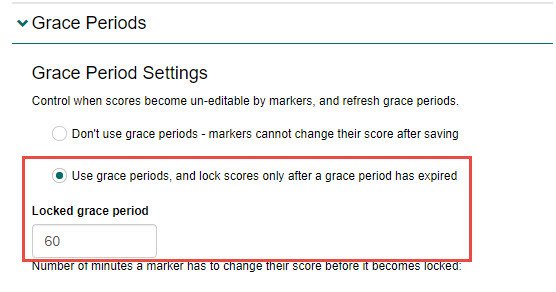
- Select the Use grace periods, and lock scores only after a grace period has expired option. Additional options will display.
- Enter an amount of time (in minutes) in the Locked grace period field. This is the amount of time Markers will have to change their scores before it becomes locked.
-
Select the Save button to save your changes.