Test-takers
Introduction to test-takers
A test-taker is anyone that has a test-taker role in the system. Test-takers are sometimes referred to as students or candidates.
Navigate to Manage People > Test-takers. From here you can view, edit and import test-takers.
Import test-takers
The test-taker import is designed to import test-takers directly into their relevant role. The import template is dynamic and admins can easily tailor it to the specific requirements of their institution. It also has the ability to filter test-takers into their relevant groups.
Note
This import may also be referred to as a student import or candidate import.
Navigate to Manage People > Test-takers.
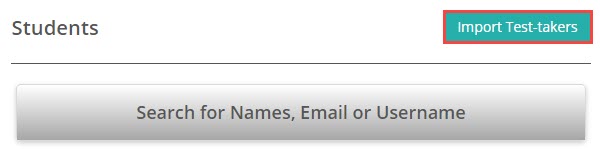
Select Import Test-takers from the top right of the screen.
The Import test-takers from a spreadsheet screen displays with onscreen Instructions to the right.
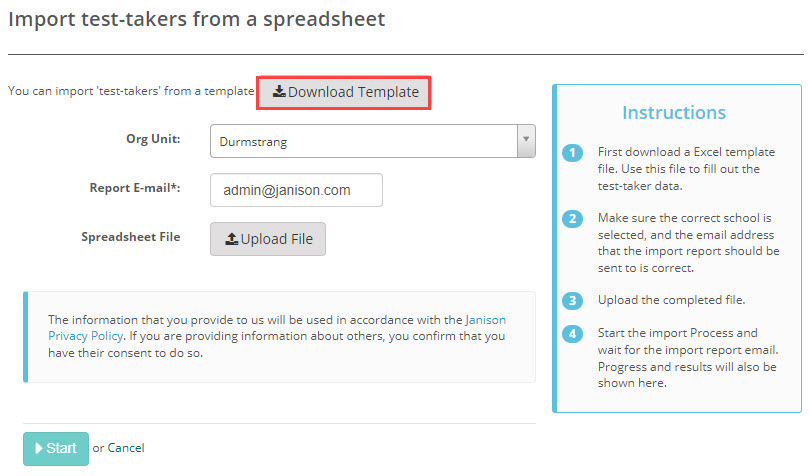
Select Download Template.
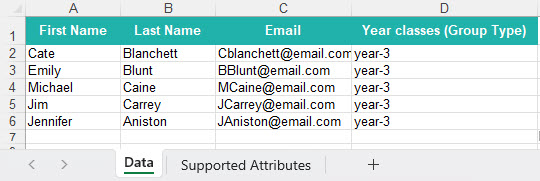
The template downloads to your local device. Populate it with your test-taker details and save.
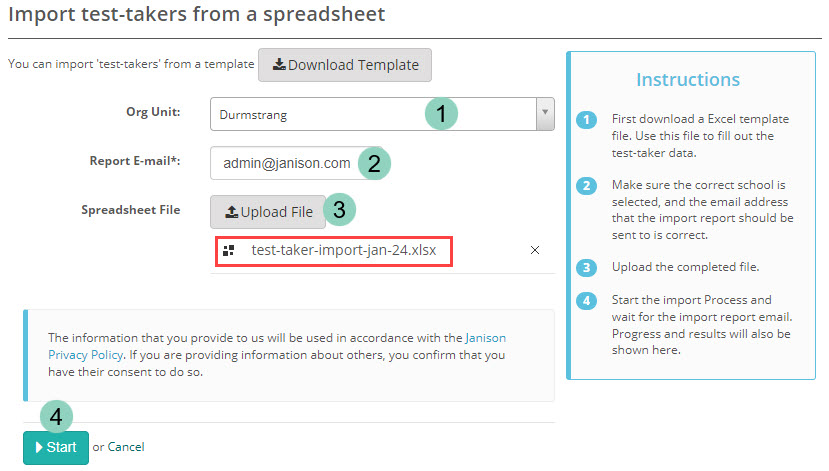
- Select the Org Unit you would like the new test-takers to go into. If you only have access to a single org unit, you won't see this dropdown.
- The Report E-mail field will populate with the email address of the account you are logged in with, but you can change this if required.
- Upload your Spreadsheet file which will then display under the Upload File button.
-
Select Start.
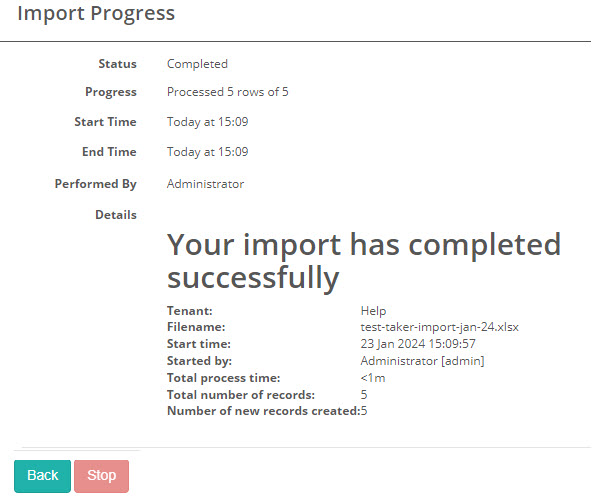
Once imported, the Import Progress screen displays with a summary of your import.
You will also receive a corresponding email with these details included.
Administrator settings
The fields that display on the import template you download from the Import test-takers from a spreadsheet screen can be tailored to match your requirements. These options are only available to system administrators.
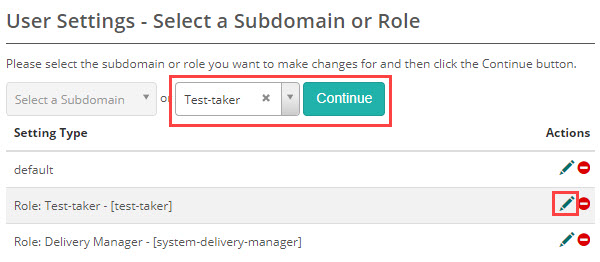
Navigate to Settings > User Settings.
Select the test-taker role from the drop-down and Continue.
The User Settings for Role Test-taker screen displays.
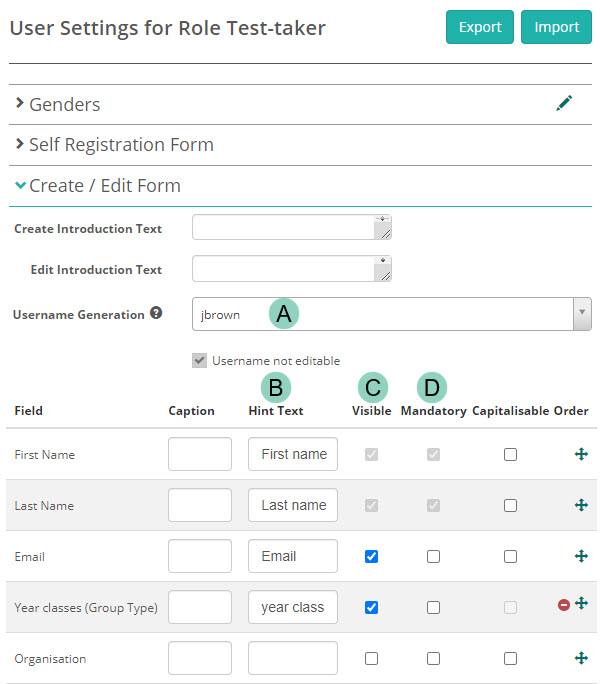
Create / Edit Form
The Create / Edit Form section controls which fields appear when creating or editing a user and, for an import, which columns appear in the template. These settings apply to every role, not just test-takers — see the Settings section in Manage users for the full description.
For the test-taker import, expand Create / Edit Form and set the following:
- A — choose how usernames are created in the Username Generation dropdown.
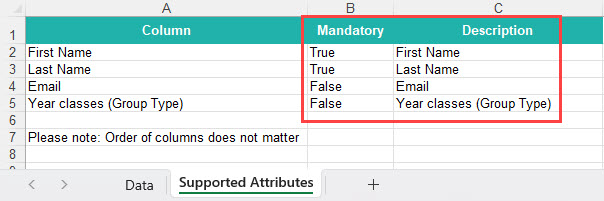
- B — the Hint Text displays on the Supported Attributes tab of the import template as the Description.
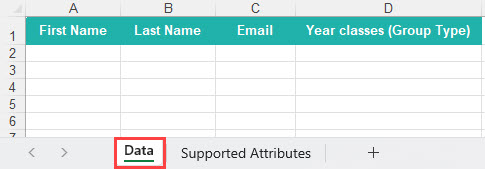
- C — the fields you mark as Visible display as columns in the header of your import template.
- D — the fields you mark as Mandatory become required and are listed in the Mandatory column of the Supported Attributes tab.
Note
First Name and Last Name are system-defined mandatory fields, so they're greyed out and can't be changed.
The import template reflects these settings. The example below is based on the User Settings for Role Test-taker settings shown above.
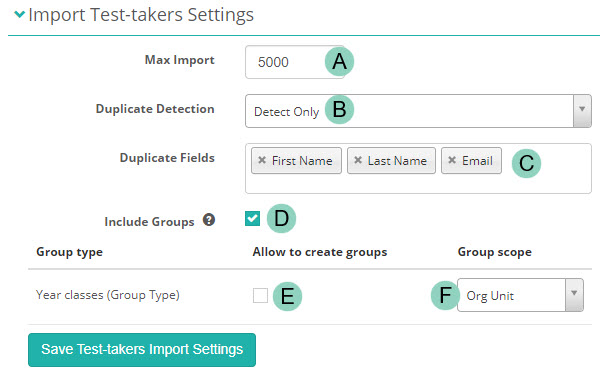
Import Test-takers Settings
At the bottom of the same page, expand the Import Test-takers Settings section, then set the following:
- A — Max Import limits the maximum number of records that can be imported at once.
- B — Duplicate Detection detects duplicate accounts by matching the fields chosen in Duplicate Fields. You have three choices:
- Detect and update — if a duplicate is detected, the existing account is updated.
- Detect only — if a duplicate is detected, you're notified but no changes are made.
- Off — no duplicate detection.
- C — Duplicate Fields sets which fields are matched to identify a duplicate. In the example below, an account with the same First Name, Last Name and Email as a record in the spreadsheet is flagged as a duplicate.
- D — Include Groups displays the groups the importing user has scope over in the test-taker import template.
- E — Allow to create groups lets the importing person create groups by adding them to the import template.
- F — Group scope sets the scope, either Default, Organisation or Org Unit.
Note
This does not affect groups allocated to a group type that are already included in the test-taker import template.